I Redesigned a Shopify Product Page Using 2027 UX Trends. Here's What I Changed
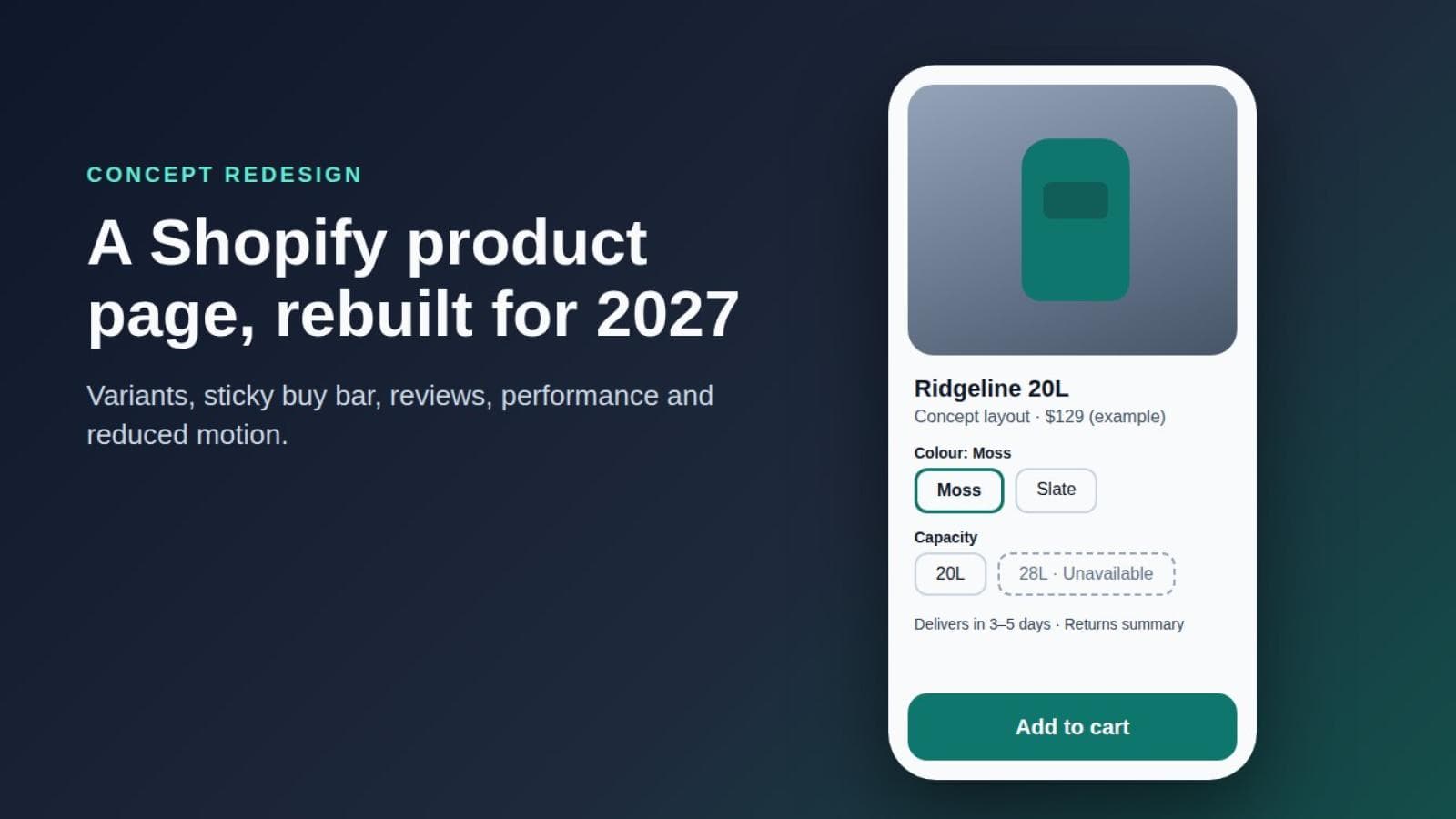
Disclosure: this is a concept redesign of a representative product page, not a client project. I have no real store, analytics, screenshots or test results to show you. Everything below is my reasoning about a hypothetical page, and every number-shaped claim is either from a cited source or clearly marked as something I would measure later.
Disclosure: this is a concept redesign of a representative product page, not a client project. I have no real store, analytics, screenshots or test results to show you. Everything below is my reasoning about a hypothetical page, and every number-shaped claim is either from a cited source or clearly marked as something I would measure later.
I also want to be careful with "2027 UX trends". Today is October 2026, so I can't tell you what shoppers will do in 2027. I mean a handful of directions I expect to matter more by then: clearer states, calmer motion, accessibility treated as a baseline, and automation used only where it solves a specific problem. Those are my forecasts. Where something is documented, I link to the documentation.
The product page I used
To keep this concrete, I used one imaginary product throughout: the Ridgeline 20L, a waterproof commuter backpack sold in two colours (Slate and Moss) and two capacities (20L and 28L). It's invented, as is the store. Bags raise questions about size, colour accuracy, laptop fit and returns, which makes them a useful test.
The friction I started with
When I imagined the "before" version, I deliberately gave it problems I see on many stores, without claiming any particular store has them:
- Four product images, then a long block of description text, then the buy controls far down the mobile screen.
- Colour and capacity shown as small swatches and a dropdown, with no visible message when a combination is unavailable.
- A sticky "Add to cart" bar that covers the footer and hides whatever has keyboard focus.
- Delivery and returns information behind a link to a policy page.
- Fifty reviews in one unfiltered list, and a carousel that auto-advances.
- Several third-party scripts competing with the main product image.
Each item asks a shopper to work a little harder, and on a phone those costs add up.
What I changed, and what each change costs
For every change I try to answer three questions: why this, what's the tradeoff, and how would I know it helped. I'll be explicit about the tradeoff, which most write-ups skip.
1. Mobile information hierarchy
The change: on a phone, the order becomes title, price, first image, variant selection, delivery promise, then the add-to-cart button, with the longer description below. Reviews summary sits directly under the title as a single line.
Why: a shopper deciding on a backpack needs to know what it is, what it costs, which one they're getting and when it arrives. Deeper detail matters, but after interest is established. The Nielsen Norman Group's research-based product page guidelines are a useful cross-check for what to prioritise.
Tradeoff: pulling delivery and variants up pushes the description lower. I'd keep the brand story, but after the decision-critical facts.
2. Product media
The change: the first image shows the bag on a person, the second shows it empty with the opening visible, the third shows a size comparison between 20L and 28L, and the fourth shows the interior. Each image has descriptive alt text. Selecting Moss swaps the gallery to Moss images.
Why: media should answer questions, not decorate. Shopify's variant documentation says the product media, price and selector should all reflect the selected variant, so a gallery that doesn't change with the colour breaks that expectation.
Tradeoff: variant-specific photography costs more to produce and maintain. If you can't shoot every colour, I'd rather be honest and show the colour that's accurate than use a recoloured render.
3. Clear variant selection and unavailable states
The change: colour and capacity become two labelled groups of buttons, each showing the selected value in text ("Colour: Moss"). A combination that is out of stock stays visible, is marked "Unavailable" in words, and offers a "Notify me" option. Price and delivery text update when the selection changes.
Why: Shopify documents that a product can have a maximum of three options, and recommends a separate selector per option. The Liquid variant object exposes an available property, which is the natural place to drive an unavailable state. For accessibility, WCAG's Use of Color criterion says colour shouldn't be the only way to convey information, so a crossed-out swatch alone isn't enough. When the selection changes, the updated price or error should be announced; WCAG's status messages criterion describes using roles such as role="status" for that.
Tradeoff: leaving unavailable options visible can frustrate shoppers who wanted that combination. But hiding them makes people wonder whether the option exists. I prefer visible-and-explained, with a clear next step. Custom controls also need more keyboard and screen-reader testing than native ones.
4. An accessible sticky purchase area
The change: on mobile, a compact bar appears only after the main buy button scrolls out of view. It shows the selected variant, the price and a single button. It does not appear until a variant is selected, and it never covers a focused element.
Why: a persistent purchase action is useful on a long page. The risk is accessibility. WCAG 2.2's Focus Not Obscured (Minimum) says a focused component must not be entirely hidden by author-created content, and names sticky footers as a common cause. Its suggested approach is CSS scroll padding so focused items scroll clear of the bar. Buttons should also meet the 24 by 24 CSS pixel minimum target size.
Tradeoff: a sticky bar uses permanent screen space on small phones and can compete with cookie banners and chat widgets. If those collide on a real store, I'd drop the sticky bar before I'd let it hide content. The reflow criterion expects content to work at 320 CSS pixels wide without two-dimensional scrolling.
5. Delivery and returns information
The change: directly under the button, two short lines: the delivery estimate and cost for the shopper's region, and a plain-language returns summary ("Return unused items within 30 days") with a link to the full policy.
Why: these are the questions people have right before buying.
Tradeoff: the 30 days here is an example for my fictional store. Real figures must match your actual policy, and estimated delivery dates need reliable data behind them. If you can't estimate accurately, state the method and typical range honestly.
6. Useful reviews
The change: a short summary (average and count), then filters that match this product's real concerns: size and fit, laptop capacity, waterproofing. Reviews appear in a static list with no auto-advancing carousel.
Why: a star average helps less than a review from someone who carries a 16-inch laptop.
Tradeoff: filters depend on a reviews app and good tagging, and they can expose a thin review set. If you have only a handful of reviews, filters add noise. In that case, show the reviews plainly. Never fabricate or selectively delete them.
7. Progressive disclosure
The change: specifications, materials, care and dimensions go into accordions below the buy area, using real buttons with aria-expanded. The most decision-critical items (capacity, laptop sleeve size, weight) stay visible without opening anything.
Tradeoff: collapsed content is harder to scan and to find with in-page search. If a fact is something most buyers need, don't bury it in an accordion.
8. Restrained personalization, and AI only where it earns a place
The change: I limit personalization to things that clearly help: showing delivery information for the shopper's region and remembering a previously chosen colour. I don't add "recommended for you" blocks to the buy area.
For AI, the one place I'd consider it is a specific problem: a shopper asks "will this fit a 15-inch laptop and a change of clothes?" A question-and-answer feature grounded in the product's own specifications and reviews could answer that. I would not present it as a built-in Shopify capability, because I'm not claiming one exists; it would be an app or custom build that you'd need to evaluate. I also wouldn't let it say a product is suitable. It should quote the stated dimensions, link to the source, and say when it doesn't know.
Tradeoff: an AI answer risks a confident mistake, plus privacy, cost and moderation overhead. A clear size table may solve the problem with less risk.
9. Performance
The change: the main product image is a real img element with width and height set, marked as high priority and not lazy-loaded; images lower down are lazy-loaded. Scripts that aren't needed for the first interaction are deferred or removed, and space is reserved for app-injected blocks.
Why: these are documented in Shopify's theme performance best practices: use image_tag, apply fetchpriority="high" to the LCP image rather than lazy loading it, defer non-critical JavaScript, include dimensions to limit layout shift, and audit app and tracking scripts. Google's Core Web Vitals guidance sets targets of 2.5 seconds for LCP, 200 milliseconds for INP and 0.1 for CLS, assessed in the field at the 75th percentile.
Tradeoff: every app earns its place against a cost. Removing a review widget or chat script may remove something the business values. That is a business decision, not just a technical one. And since this is a concept, I have no speed numbers to report. I'm not going to invent any.
10. Reduced motion
The change: image transitions, the sticky bar's entrance and accordion movement are small by default, and they're reduced or replaced with a simple fade when the visitor has asked for less motion.
Why: MDN describes prefers-reduced-motion as the way to detect that a user has asked to minimise non-essential motion, and advises replacing large scaling or panning with gentler effects rather than removing all feedback. Scripted animation should check the same preference.
Tradeoff: it's another state to design and test. I expect it to be treated as ordinary practice rather than an extra, which is why I include it under 2027 directions.
Before and after at a glance
Concept redesign: the original friction and the proposed change for the Ridgeline 20L product page| Area | Before (concept) | After (concept) |
|---|---|---|
| Mobile hierarchy | Images, long copy, then buy controls | Title, price, image, variants, delivery, then button |
| Variants | Small swatches, silent unavailable state | Labelled buttons, text status, notify option |
| Sticky bar | Can cover focused elements | Appears late, respects scroll padding |
| Delivery and returns | Behind a policy link | Short summary under the button |
| Reviews | One long list, auto carousel | Summary, relevant filters, static list |
| Motion and performance | Heavy transitions, many scripts | Reduced-motion support, leaner scripts |
What I would measure
None of the following has been measured, because there's no live page. These are the measurements I'd propose if a store ran this redesign as a real test:
- Variant-selection errors: attempts to add to cart without a complete selection, and clicks on unavailable combinations.
- Add-to-cart rate: product page views that lead to an add-to-cart, split by mobile and desktop.
- Checkout progression: carts that proceed to checkout, to see whether earlier clarity changes later drop-off.
- Conversion: orders per session, interpreted with care over a long enough window.
- Returns: return rate and stated reasons, particularly fit and colour.
- Field performance: LCP, INP and CLS from real-user data at the 75th percentile.
I'd compare against a baseline or a controlled test. A change that lifts add-to-cart but raises returns hasn't necessarily helped.
A practical launch checklist
- Every variant combination has a sensible image, price and availability state.
- Unavailable states are described in text, not colour alone.
- Selection changes are announced to assistive technology.
- The whole purchase flow works by keyboard, and the sticky bar never hides the focused element.
- Touch targets meet at least 24 by 24 CSS pixels.
- The page works at a 320 CSS pixel width and at increased text size.
- Delivery and returns copy matches your real policy.
- The LCP image is not lazy-loaded, and images have dimensions.
- Third-party scripts are audited, and app blocks reserve space.
- Reduced-motion behaviour is tested with the operating system setting turned on.
What I'd take from this
A product page should reduce uncertainty at the moment of decision. Treat my forecasts about 2027 as hypotheses to test with your own audience, not facts.
If you're planning a product-page redesign and want a second opinion, you can read about our Shopify UI/UX design service or get in touch. For related reading, see our notes on designing a custom Shopify theme around the buying journey.
