Why I'm Moving Away From Traditional Shopify Homepage Layouts
A note before I start: this is an opinion piece. I'm describing how I now think about Shopify homepages, using hypothetical stores. I'm not presenting client results, analytics or test data, because I'm not claiming any. Where I cite a technical fact, I link to the official source.
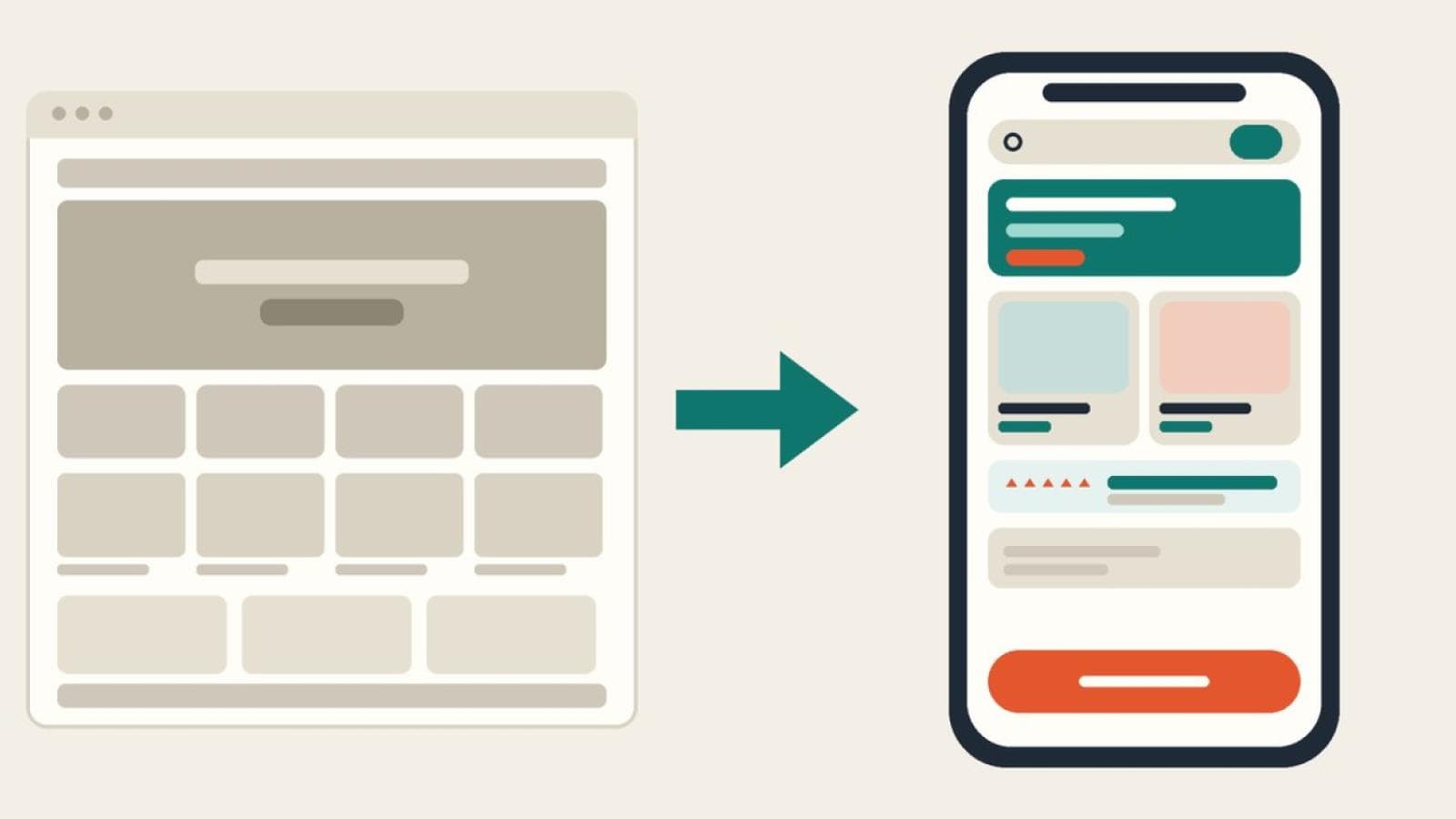
You know the homepage. An announcement bar, then a hero image the height of the screen, then a row of collection tiles, then a grid of products, then a few testimonials, then the footer. I've built that sequence, and I've defended it. I'm now far less willing to start there by default.
My problem isn't that the sequence is wrong. It's that it's usually a template rather than a decision. Each section is there because the previous store had it, not because a particular shopper needs it at that point. If you've read my earlier piece on why so many Shopify stores look alike, this is the narrower version: I'm only talking about homepage hierarchy and merchandising here.
What the standard sequence assumes
The classic layout quietly assumes that everyone arriving at the homepage is a browser with time to spare, who wants to be inspired and will scroll to be convinced. Some are. Many aren't. Think about who actually lands there:
- Someone who already knows the product and wants to find it quickly.
- Someone who followed a campaign link and wants to understand what the store sells.
- A returning customer who wants to reorder or check an order.
- Someone comparing you with two other stores in separate tabs.
A large hero, tiles and a grid serve the second group reasonably well and make everyone else scroll. That's the heart of my reconsideration: one fixed order can't match several different intents.
The five parts I'm questioning
The announcement bar
A single, useful line (a delivery cut-off, a returns window) earns its place. A rotating banner of promotions pushes content down and competes with the header. On a phone, where vertical space is scarce, I'd ask whether every line is something a shopper needs before they've seen a product.
The oversized hero
A full-height hero often says very little. On mobile it can fill the entire first screen with a slogan and a button, while the thing the shopper came for sits below the fold. It's also usually the largest image on the page, which matters for speed: Google's guidance is that Largest Contentful Paint should occur within 2.5 seconds, measured at the 75th percentile of page loads. A heavy hero works against that, and web.dev warns never to lazy-load the LCP image, so it needs deliberate handling rather than defaults.
What I'd rather see is a hero that states what you sell, who it's for and why you, in plain words, with a product or category visible in the first screen.
Collection tiles
Tiles are fine when your range is broad and shoppers genuinely navigate by category. They're weak when the labels are vague ("Essentials", "The Edit") or when they duplicate the main navigation. If tiles exist, I'd want them to answer a real question: what are the three or four ways people usually shop here?
The product grid
"Featured products" with no stated logic is the most common filler section. Bestsellers, new arrivals and "recommended for you" are different jobs. A grid should say why those products are there, and it should show what a shopper needs to decide whether to click: a clear image, a name, a price and an availability signal.
Testimonials at the bottom
Proof placed last is proof most people never see. I'd move useful proof closer to the claims it supports: review counts near products, delivery and returns facts near the header, a short real quote beside a specific benefit. I'd only ever use real, attributable proof, never invented praise.
Principles I'd design around instead
- Intent first. Decide the two or three jobs the homepage must do, then order sections by how many shoppers need each one.
- Positioning in the first screen. A visitor should know what the store sells and who it's for without scrolling.
- Discovery over decoration. Every section should either help someone find a product or help them trust it.
- Useful proof, placed where it's needed.
- Mobile as the starting point. I'd design the phone order first and let desktop expand it.
Keeping what shoppers already know
None of this means reinventing the store. Shoppers carry habits from every other site: a logo that goes home, a search box they can find, a cart icon top right, a clear route to the account. I'd keep all of that exactly where people expect it. Novelty in navigation is a cost, and I'd want strong evidence before paying it. The change I'm arguing for is in what's on the page and in what order, not in how people move around.
Accessibility and performance aren't a finishing layer
Both are easier to get right when sections are fewer and purposeful. Two accessibility checks I'd build in from the start: content should still work when reflowed at a 320 CSS pixel width, as WCAG 2.2's Reflow criterion describes, and tappable controls should meet the guidance in Target Size (Minimum). For speed, Shopify's own theme performance best practices are a sensible baseline, and every extra carousel, video background or third-party widget on a homepage is worth questioning against it.
How I'd order sections for different stores
These are hypothetical examples. None is a real store or a real client, and I'm not claiming any of these orders performs better. They're starting hypotheses.
Example A: a focused catalogue (a store selling one product line, say coffee equipment)
Shoppers usually know roughly what they want. I'd lead with a short positioning statement and the top products, then a "how to choose" section, then delivery and returns facts, then reviews, then the story.
Example B: a broad catalogue (a general home goods store)
Here category navigation really matters. I'd put clear category entry points first, then a labelled bestsellers row, then seasonal or new items, then proof, then the brand story.
Example C: a considered purchase (a store selling a higher-priced item, like a standing desk)
Shoppers need reassurance before they commit. I'd put the positioning and one hero product first, then comparison or sizing help, then returns, warranty and delivery, then verified reviews.
Example D: a repeat-purchase store (a hypothetical refill or subscription brand)
Returning customers are a large share of visitors, so I'd keep reorder and account routes obvious, then show products, then explain how subscriptions work, then proof.
A practical before and after
For a hypothetical mid-sized store, here's the sequence I'd start from, and the one I'd propose.
Before (the usual order):
- Rotating announcement bar
- Full-height hero with slogan and one button
- Four collection tiles
- "Featured products" grid
- Three testimonials
- Newsletter signup, then footer
After (a hypothesis to test):
- Single-line announcement bar, only if it carries a real delivery or returns fact
- Shorter hero that states what the store sells and shows a real product, with search and navigation unchanged
- Labelled product row ("Bestsellers", with the logic stated)
- Category entry points, only for the ways shoppers actually browse
- Proof beside the products: review counts, delivery and returns details
- Brand story, then newsletter and footer
The reasoning: products appear sooner, claims are supported near the point of decision, and sections that don't serve a clear job are cut or demoted. Shopify's section architecture lets merchants reorder sections through JSON templates, which means testing a different order doesn't have to mean rebuilding a theme.
Where I could be wrong
The conventional layout became conventional partly because it works well enough in many cases. A store with strong brand awareness, a narrow catalogue and a loyal audience might do perfectly well with it, and a tidy version of the standard sequence can beat a clumsy experimental one. I also have no data here to show my proposed order wins. Changing a homepage has costs, including design time, regression risk and a period of confusing returning shoppers, so I'd want a reason for each change rather than a taste for novelty.
What I would measure
If I were redesigning a real homepage, I'd decide the measures before touching the layout, and compare like with like over a sensible period:
- Product discovery: use of search, menu and category entry points, and how far people scroll before clicking something.
- Homepage-to-product visits: the share of homepage sessions that reach a product page.
- Add-to-cart activity: how many sessions that reach a product add something.
- Conversion: checkout completion, viewed alongside traffic mix, season and promotions, which can all move it independently of layout.
- Speed and stability: LCP and other Core Web Vitals on mobile.
Better numbers are never guaranteed. A change might make no difference, or make things worse, and that's the reason to measure.
Where I'd start
If you're curious about your own homepage, try this: list every section in order, and next to each write down who it helps and what they'd do next. Anything you can't fill in is a candidate to move, shorten or remove. That small audit usually shows more than a redesign brief does.
If you'd like a second opinion, I do this kind of work through our Shopify UI/UX design service, and you can get in touch if you'd like to talk it through. I'd rather help you decide what to change than sell you a full rebuild.
